

To disconnect a car battery, remove the negative terminal first, then the positive.
If you want a safe, clear, and reliable guide on how to disconnect car battery without damage or drama, you’re in the right place. I’ve done this job on daily drivers, weekend cars, and stubborn trucks.
Below, I’ll show you how to disconnect car battery step by step, why order matters, what tools you need, and how to protect your car’s memory and electronics. You’ll get pro tips, real mistakes I’ve seen, and simple checks so you can do it right the first time.

Safety First and Tools You’ll Need
If you plan how to disconnect car battery the right way, start with safety. Batteries can spark. They can leak acid. A slip of a wrench can short power and fry a module. The right gear and plan help you avoid all that.
What you need:
- Safety glasses and gloves Protect your eyes and hands from acid and sparks.
- Socket or wrench Most cars use 10 mm. Some need 12 mm or 13 mm.
- Battery terminal puller Optional. It helps with stuck clamps.
- Memory saver Optional. Keeps radio, seat, and module settings.
- Shop towel and zip ties Keep cables from springing back to the post.
- Baking soda and water Neutralize acid if you see corrosion.
Key safety tips:
- Work outside or in a space with air. Batteries can off-gas.
- Keep metal tools away from both posts at the same time.
- Do not smoke or use open flame near a battery.
- Check the manual if your car has start-stop, AGM, or EFB batteries. Some systems need special steps.

Step-by-Step: How to Disconnect Car Battery
Here is how to disconnect car battery in a clean, safe order. This order is based on best practice from service manuals and electrical safety standards.
- Park safe and power down
- Park on level ground. Set the parking brake.
- Turn off the engine. Remove the key.
- Wait 2–5 minutes so modules go to sleep.
- Open the hood and find the battery
- Some cars put the battery under a cover or in the trunk.
- If there is a cover, lift it off to expose both posts.
- Identify the terminals
- Negative is black, marked with a minus.
- Positive is red, marked with a plus and may have a red cover.
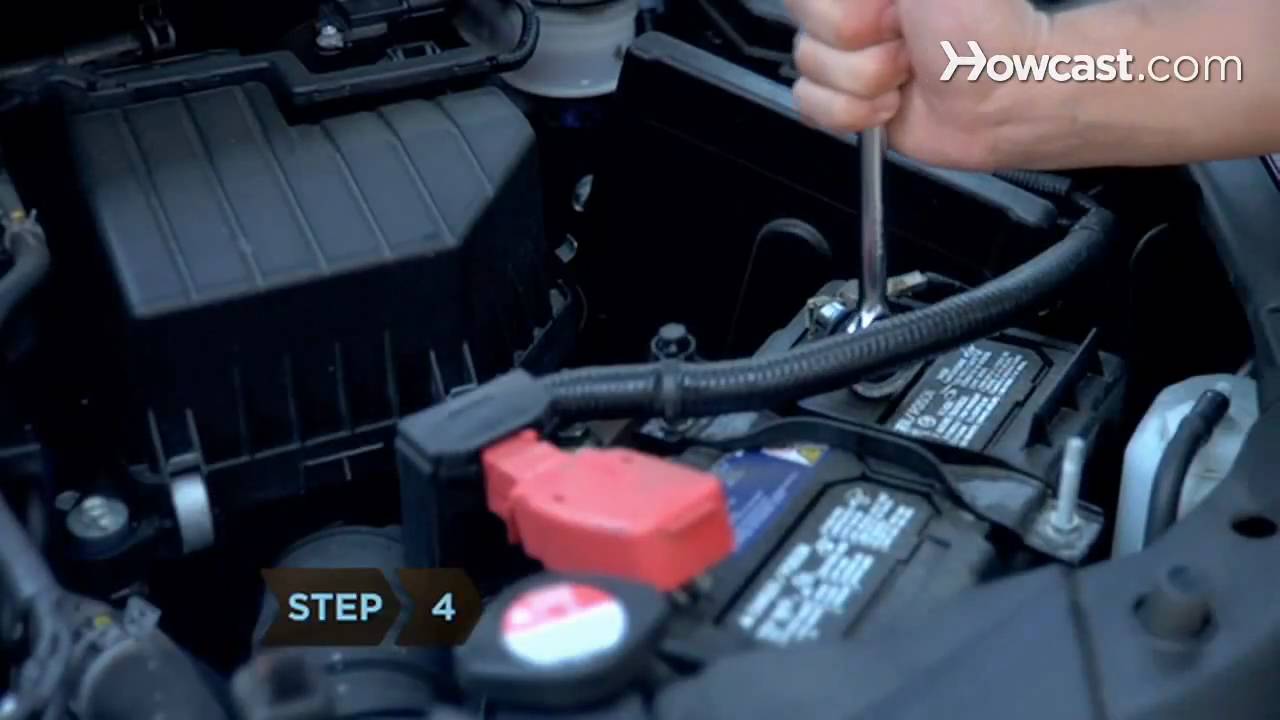
- Disconnect the negative terminal first
- Use a 10 mm wrench to loosen the clamp bolt.
- Twist the clamp gently and lift it off the post.
- Wrap or zip-tie the cable away from the battery so it cannot spring back.
- Disconnect the positive terminal second
- Flip the red cover if present.
- Loosen the clamp and lift it off.
- Secure the cable so it cannot touch any metal.
- If removing the battery
- Remove the hold-down bracket.
- Lift the battery with both hands. It is heavy.
- Keep it level to avoid spills.
Why negative first matters
- The car body is tied to negative. If your wrench touches body while on the negative clamp, no short.
- If you remove positive first and your tool hits body, you create a direct short. That can spark or damage the system.
I’ve seen a DIYer remove the positive clamp first on a tight engine bay. Their wrench touched the fender. The arc startled them, and the terminal melted. Save yourself the stress: negative, then positive.
Special Cases: When Not to Disconnect or When to Use a Memory Saver
Some cars do not like surprise power cuts. If you wonder how to disconnect car battery on modern cars, read this first. Many modules track windows, sunroofs, steering angle, throttle, and security. You may lose presets or set codes if you cut power.
Use a memory saver if:
- Your car has power seats with memory or a coded radio.
- It has start-stop or advanced driver aids.
- You want to keep clock, radio, and module trims.
Be careful or avoid disconnecting if:
- The car is a hybrid or EV. Do not touch high-voltage systems. Those need trained service.
- The battery is buried and needs trim removal near airbags.
- Your alarm or immobilizer may lock you out after power loss. Check the manual for a PIN or restart steps.
A good rule: If you only need to do a quick sensor swap, ask whether you must disconnect. Many repairs only need the ignition off. For anything near the starter, alternator, or main fuses, follow how to disconnect car battery steps to stay safe.

Protecting Memory and Electronics
Even if you follow how to disconnect car battery by the book, you may still lose settings. You can reduce risk with simple prep.
Do this before disconnect:
- Note your radio presets, seat positions, and clock.
- Open and close windows so they are indexed.
- Take a phone photo of any settings you care about.
Use a memory saver:
- Plug a memory saver into the OBD-II port or a 12V socket that stays live with the key off.
- Confirm it has fresh batteries or is tied to a support battery.
- Keep the car doors closed so the system draws less power.
After reconnect, be ready to:
- Relearn windows. Hold the switch up for 5 seconds at the top.
- Relearn steering angle. Turn the wheel lock-to-lock, then center.
- Relearn idle. Let the engine idle for a few minutes with all loads off.

Common Mistakes to Avoid
I’ve seen these errors many times. If you want clean results with how to disconnect car battery, avoid these slips.
- Removing the positive first This can cause a wrench-to-body short.
- Letting a loose cable snap back to the post A momentary touch can spike modules.
- Prying on the post with a screwdriver You can crack the case or damage the seal.
- Mixing up terminals Red is positive, black is negative. Always check the markings.
- Ignoring corrosion Heavy white or green buildup increases resistance and heat.
If you find corrosion, mix a spoon of baking soda in water. Brush the clamps and tray. Rinse and dry. A thin coat of dielectric grease on the clamps helps prevent future buildup.
Troubleshooting After the Battery Is Disconnected
If you follow how to disconnect car battery and later see odd behavior, it may be normal. Many cars need a short relearn period.
Common symptoms:
- Rough idle for a minute The ECU is relearning. Let it idle.
- Window one-touch not working Relearn by holding the switch at the top.
- Clock or presets lost Reset them in the menus.
- Warning lights present Clear after a short drive. If they stay, scan for codes.
If the engine cranks slow or not at all:
- Check that both clamps are tight and clean.
- Confirm the battery is charged and healthy.
- Inspect fuses at the positive terminal block. These can blow during shorts.
How to Reconnect Safely and Test
Reconnection is the reverse. But go slow. Good contact and order matter as much as how to disconnect car battery.
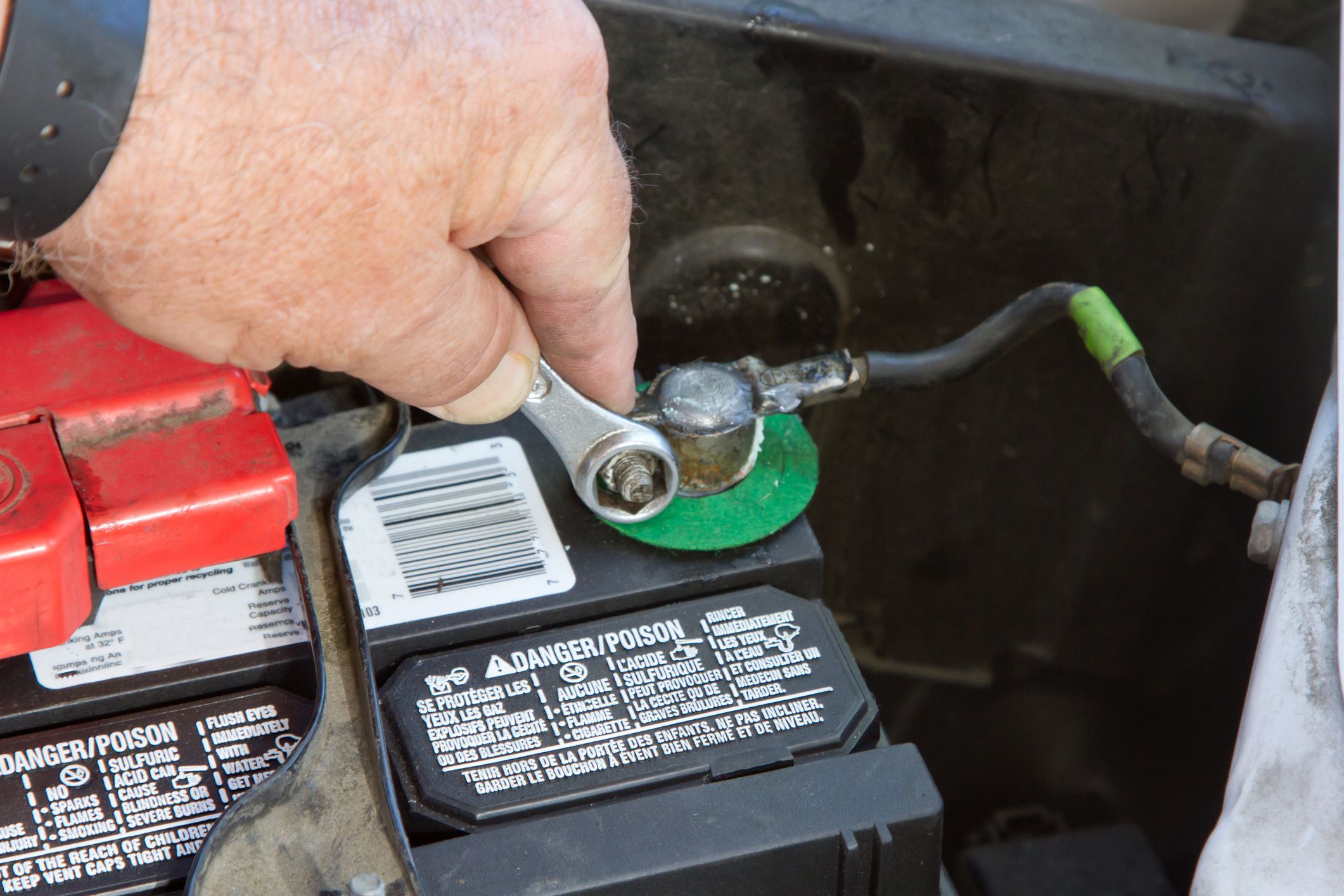
- Clean the posts
- Bright metal makes a good connection.
- Use a post brush if needed.
- Connect the positive terminal first
- Seat the clamp fully.
- Tighten until snug. Do not over-tighten.
- Connect the negative terminal last
- Seat and snug the clamp.
- Wiggle both clamps to confirm they are tight.
- Test and relearn
- Start the car. Watch for warning lights.
- Reset the clock and windows.
- Take a short drive so modules relearn.
Tip from the bay: If you hear a rapid clicking when you try to start, your clamp is loose or the battery is weak. Tighten clamps and test again with a voltmeter. A healthy resting battery reads about 12.6 volts.

Environmental Care: Handling and Disposal
Batteries are heavy, toxic, and recyclable. Treat them with care. If your how to disconnect car battery job includes removal, plan where it goes next.
- Keep it upright and avoid tipping.
- Do not toss it in the trash.
- Most parts stores take old batteries for recycling and may offer a core credit.
- If you see cracks or leaks, place the battery in a plastic bin and wear gloves.
Pro Tips and Real-World Examples
From years of weekend fixes and shop days, here is what makes how to disconnect car battery stress-free.
- Photograph the setup Before you touch a thing, take photos of cable routing and brackets.
- Cap the posts After you remove clamps, cover the posts with rubber caps or a shop towel.
- Mark the date Use a marker on the battery top. It helps track age and any later issues.
- Watch for IBS sensors Many modern cars have an intelligent battery sensor on the negative cable. Do not pinch or twist it.
- Keep a jump pack handy If you lose settings or the car balks, a jump pack is a day-saver.
A quick story: A customer’s luxury SUV had random dash lights after a battery swap done without a memory saver. A simple steering angle and window relearn cleared the lights. The lesson is simple. Plan your steps, and you save time and worry.
Frequently Asked Questions of how to disconnect car battery
What is the correct order to disconnect a car battery?
Always remove the negative terminal first, then the positive. This reduces the risk of a short to the body.
Do I need to disconnect the battery for every repair?
No. Many jobs only need the ignition off. Disconnect if you are working near main power, the starter, alternator, or airbag connectors.
Will disconnecting the battery erase my settings?
Yes, it can. Use a memory saver or be ready to reset radio presets, clock, and window one-touch.
How long should I wait after turning the car off?
Wait 2–5 minutes so control modules go to sleep. This prevents data corruption and reduces sparks.
Can I disconnect the battery on a hybrid or EV?
Do not touch high-voltage systems. Follow the vehicle’s official service steps or seek a trained technician.
Why does my car idle rough after reconnecting?
The ECU is relearning fuel and idle trims. Let it idle for a few minutes, then drive normally.
What size wrench do I need?
Most cars use 10 mm for the clamps. Some use 12 mm or 13 mm; check your specific vehicle.
Conclusion
You now know how to disconnect car battery the safe and smart way. Use the right tools, remove negative first, protect your settings, and reconnect with care. Plan the job, take it slow, and you’ll avoid sparks, data loss, and guesswork.
Put this guide to work on your next project. Save it, share it, and keep learning. If you found this helpful, subscribe for more hands-on car care guides or leave a comment with your questions.
3 thoughts on “How To Disconnect Car Battery: Safe Step-By-Step Guide”